Get started on the Hyppo Run site opens setup before you have an account, and the sign-up comes at the end. If you signed up first, Hyppo Run opens setup in place of Today, and Today sends you back to it until you finish. Each screen asks one question, and the button at the bottom moves you on. On most screens it reads Continue. On a screen with answer cards, such as the goals, a tap on a card moves you on at once. Without a plan, setup is four screens. With a plan, it's nine, or ten for a race.
Every way through setup asks for your year of birth. Hyppo Run is for runners aged 18 and over. Setup reads only the year, so it stops on that screen if you turn 18 or younger this year. From the year you turn 50, a plan builds up more slowly.
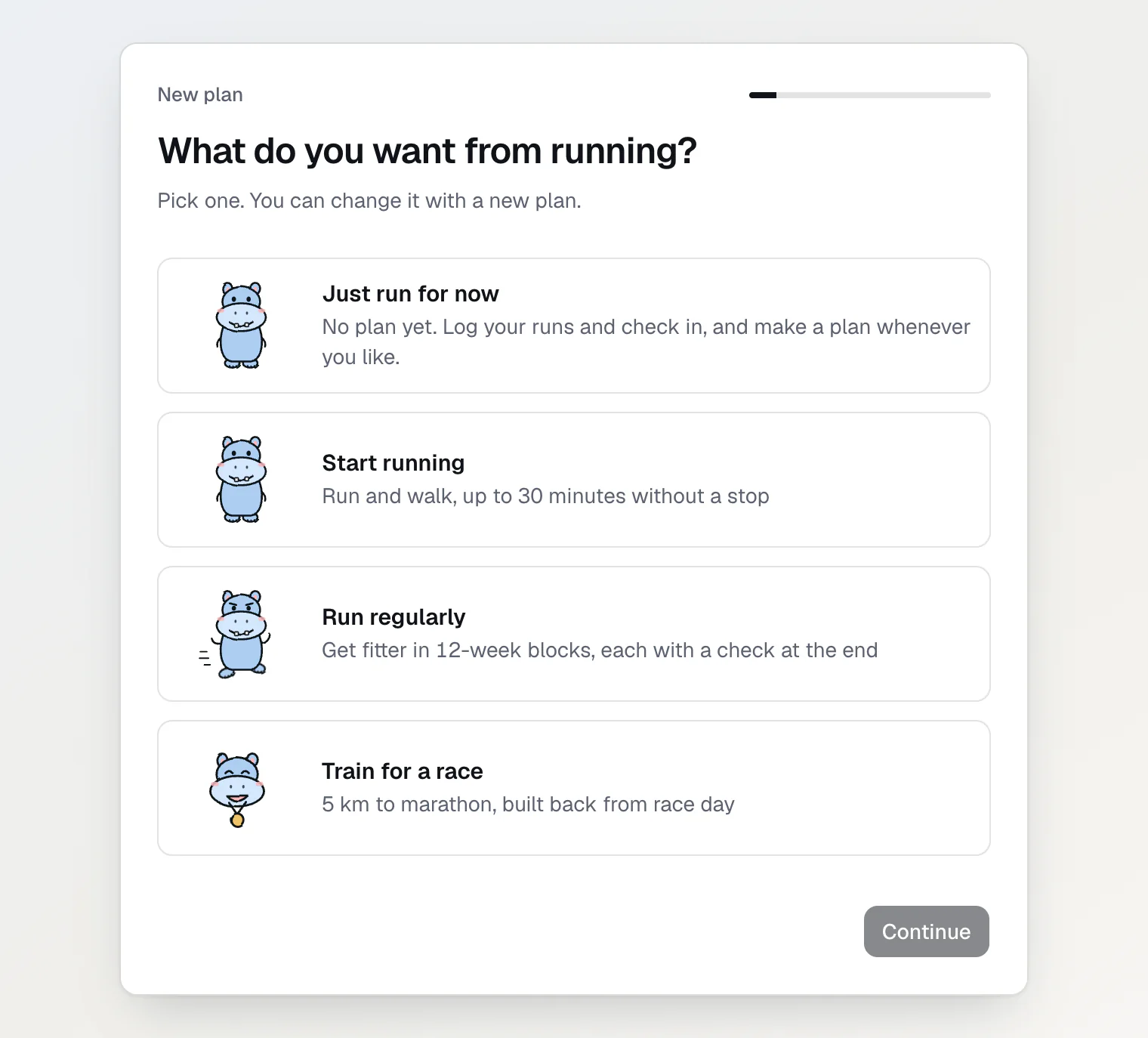
Pick a goal, or no goal yet
The first screen, What do you want from running?, has four answers:
Just run for now builds no plan. You log your runs and check in, and make a plan whenever you like.
Start running mixes running and walking until you run 30 minutes without a stop.
Run regularly builds fitness in 12-week blocks. Each block ends with a check: you run 5 km, 10 km or a half marathon as well as you can, and the next block starts from your result.
Train for a race covers 5 km to the marathon, and Hyppo builds the plan back from race day.
If you aren't sure, pick Just run for now. Today then shows Want a plan? with a Make my plan button, for as long as you run without a plan.
Set up without a plan
Pick Just run for now.
Type your year of birth and press Continue.
Turn on Use my health data for my plan and press Continue.
Answer the questions on Your health.
Press None of these apply, or I understand, I will take it easy if you ticked a line. Today opens. Without an account, this button opens the sign-up first. After it, Your health opens again: press the same button once more.
The switches and the health questions are explained below.
Set up with a plan
Pick Start running, Run regularly or Train for a race.
Answer the questions of your goal:
Start running asks How long can you run without a stop? Tap the closest answer.
Run regularly asks about Your running now. If you can't run 20 minutes without a stop yet, tap Less than 20 minutes: Hyppo offers Switch to Start running, and Keep my goal keeps your goal. Otherwise tap the line closest to your usual week, or press I know my numbers to type the exact ones.
Train for a race asks Which race? first. Pick the distance and set Race day. If you have a goal time, press Add a goal time and type it, or leave it empty to just finish. Then press Continue. After that it asks about Your running now, as above.
On Which days can you run?, Hyppo has already picked days: Tuesday, Thursday and Sunday, or more if your usual week has more runs. Tap a day to add or remove it. With two days or more, Long run on starts on Sunday, or on your last day without Sunday. Tap another day to move it. Then press Continue.
Type your year of birth and press Continue.
If you'd rather not give your weight, press Skip. Otherwise type it and press Continue. Hyppo uses it for the energy of your runs and for Nutrition.
If you want Hyppo to use a name, type it under What should Hyppo call you? first. Then tap how Hyppo talks to you: Mud bath for kind words and no pressure, River run for straight talk and a little push, or Stampede for no mercy. Continue keeps Mud bath. Only the words change, the plan stays the same, and you can switch it in Settings.
Turn on Use my health data for my plan and press Continue.
Answer the questions on Your health.
If you started from Get started without an account, press Create an account to save my plan: the plan saves after the sign-up. With an account, press Save my plan on Your plan.
If your race is 14 days away or closer, Your plan shows the race plan instead, because Hyppo can't build fitness in the days left. Saving opens that race plan, not Today: the pacing, the fuel and the morning.
Your plan shows the plan before Hyppo saves it: how many weeks it has, how it ends and the sessions of your first week. Its choices come preset, so Save my plan works without any change. Build up faster, when it shows, is off, and its line names the cost: a higher risk of injury.
The two switches before the health questions
The screen is called Before your plan, or Before you start without a plan. Both of its switches stay off until you turn them on.
Use my health data for my plan covers your health answers, check-ins, heart rate and weight. Your health answers decide the warnings and a cautious plan, and a check-in with pain or illness turns the day into rest. Continue stays off until this switch is on.
Hyppo’s chat and meal estimates is optional. The chat and the meal estimates send your profile, plan, runs, check-ins and messages to OpenAI, health data included. OpenAI may process them in the United States. If you leave it off, the chat asks for it when you open it, and a meal estimate asks before Hyppo estimates.
Turning off health data deletes your check-ins, weights, health answers, Apple Health values, the heart rate of your runs and the run files you uploaded. Turning it on again doesn't bring them back. Your runs keep their time, distance, route and splits. To turn either switch off, open Settings, then Training, and find Your data.
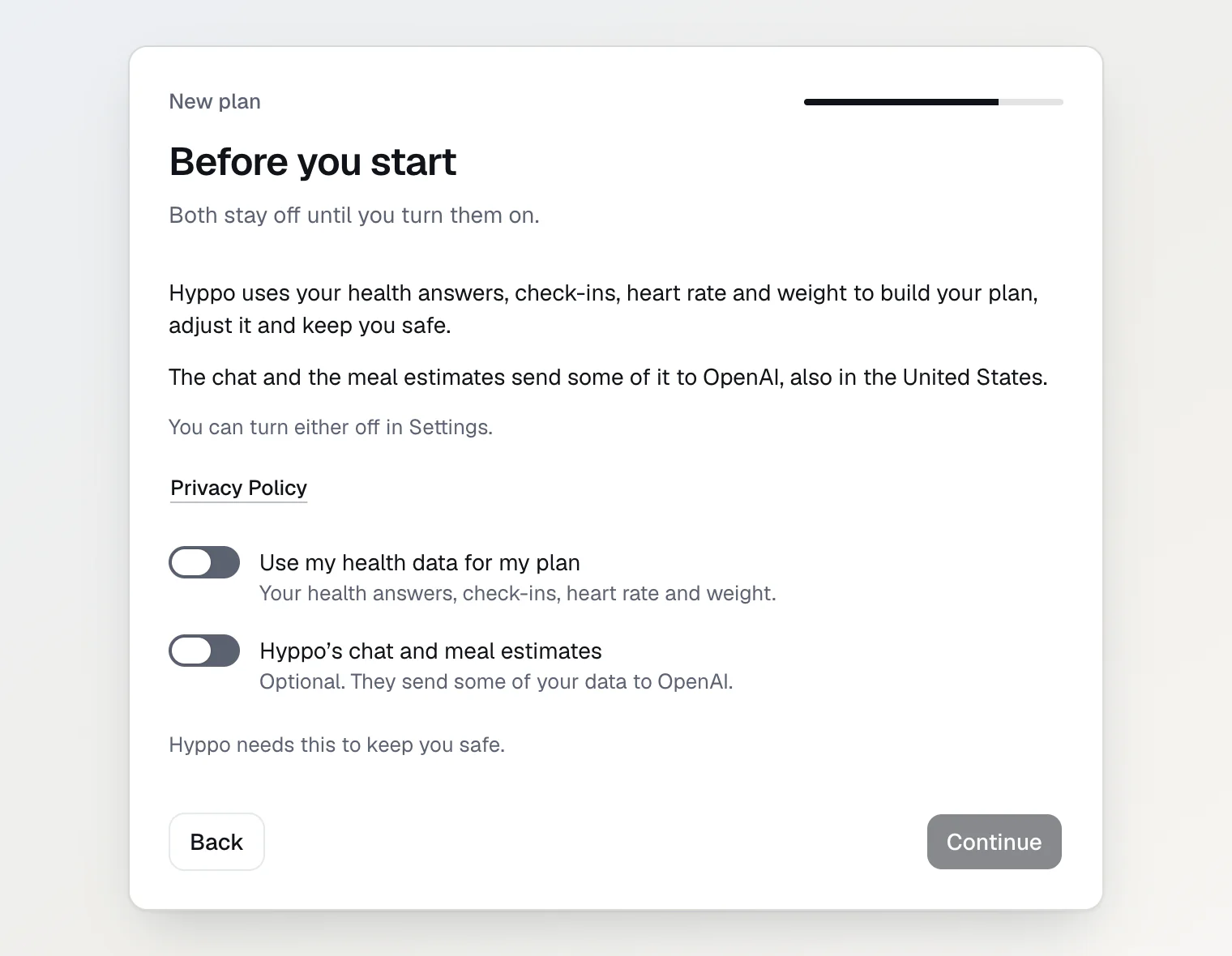
The health questions
Your health asks about three groups of conditions:
a heart condition, chest pain or fainting
another chronic condition, or a bone or joint problem
pregnancy, an eating disorder, or a doctor’s limit on exercise
If none of them applies to you, press None of these apply.
If one does, press Something applies and tick each line that's true for you. Hyppo shows a warning for your answers, for example to see a doctor before you start training. Then press I understand. Build a cautious plan, or I understand, I will take it easy without a plan. A cautious plan builds up more slowly.
With a plan, the same screen has the switch Coming back from an injury. Turned on, it makes the plan build more slowly. Your answers stay private, and the screen isn't medical advice.
What Today shows after setup
Without a plan, Today opens with a greeting and the date, Check in for how you slept and feel, Add a run and All activities. Under them is Want a plan? with Make my plan.
With a plan, Today opens with Your plan is ready. Press Let's go to close it. From then on, Today shows the day's session and why it's there. A morning check-in with pain or illness turns the day into rest, and a tired one turns the session into an easy run.
If the plan starts on a later date, the message names that date and asks you to keep your runs easy until then.
In the plan's first 7 days, until your first run is in, a Getting started card lists three steps: run the session, add the run, and check in each morning.
Continue reading
Add a run from a file or by hand — upload a FIT or GPX file or log a run by hand, and see which session it counts for.
Check in and see what Hyppo changes — what the morning check-in changes in your day, and where Hyppo explains each change.
Turn health data and the AI on or off — what each switch covers, and what turning one off deletes.